How to Create Your Own Signature Online — 3 Free Ways (Fonts, Draw & AI)
Create a signature online free three ways — pick a signature font, draw it by hand, or generate a unique AI signature. Instant transparent PNG, no download, no watermark.

Most signature tools hand you one cursive font, drop your name into it, and call that a signature. It isn't. It's a font sample wearing a bow tie.
A signature is a decision. How much flourish. How legible. How much it actually looks like you and not a wedding invitation. The tool's job is to give you that decision — not make it for you with a single script font. FontVibe's signature maker lets you create a signature online, free, three different ways: pick a signature font, draw your own by hand, or generate a one-of-a-kind AI signature. Each fits a different person and a different job. Here's how each one works, and when to reach for which.
A bit of context first, because it explains what you're actually aiming for. The handwritten signature is older than the pen in your hand. Medieval clerks authenticated documents with a wax seal; the flourished tail on a name — the paraph — came later, added on purpose to make forgery harder. That tension still defines a good signature: legible enough to read, distinctive enough that nobody else could have written it. Keep it in mind as you pick a method.
Way 1 — Pick a Signature Font (the fastest)
Type your name, pick a font, download — that's the whole flow. FontVibe's Type mode gives you dozens of real signature fonts, grouped by feel: Elegant copperplate, Casual quick hands, inky Brush, and Retro. Adjust the ink color, size, and slant, switch the background between transparent and white, and your name renders instantly — a clean transparent PNG, no account, no watermark.
This is the right method when you want a consistent signature: an email sign-off, a name card, a brand wordmark you'll reuse. Because it's a font, it looks the same every time — which a hand-drawn scrawl never does.
Legibility is the whole game here. A signature that no one can read is a doodle. Pick a font where the first letter of your name still reads clearly, then let the rest flow — the Elegant group leans formal copperplate, while Casual and Brush give a looser, more personal hand. Everything's built in and instant; there's nothing to browse or install.

Way 2 — Draw Your Own (the most personal)
Sometimes you don't want a font. You want your signature — the one you've been scribbling since you were fourteen. FontVibe's Draw mode is a smooth signature pad: sign with your mouse, finger, or stylus, and it captures the strokes with real pressure-like weight, then exports a clean transparent PNG.
This is the one to use when you need to drop a real signature onto a PDF, a contract mockup, or a form. It looks hand-signed because it is hand-signed. On a desktop, where a mouse makes signing awkward, scan the QR code to sign on your phone's touchscreen instead — it sends the finished mark straight back to the canvas.

Way 3 — Generate an AI Signature (the most unique)
The third way is the one no other free tool really does: let AI build a signature you couldn't draw yourself. Flowing calligraphy with impossible ligatures, gold-inked flourishes, dramatic strokes that behave like a designer spent an hour on them. You get a signature that's genuinely one of a kind, not one of a dropdown.
Reach for the AI signature generator when you're building a personal brand, a logo, or an artist's mark — somewhere the signature has to stand out, not just sit at the bottom of an email.


Which Method Should You Use?
Short version. Need it fast and consistent? Use a signature font. Need it to be authentically yours for a document? Draw it. Need it to turn heads as a brand or artist mark? Generate an AI signature. Most people end up using two — a clean font signature for daily email, and a bolder AI or drawn one for anything public.
Signature Ideas by Style
Not sure what you're going for? Three directions cover almost everyone.
Elegant. Thin connecting strokes, tall confident capitals, a single restrained flourish. This is the "signs a lot of important paper" look. The calligraphy signature styles nail it.

Personal & warm. A signature with a message attached — a dedication, a thank-you, a name plus a line. This is the autograph feel, the one you'd write on a photo or a gift.
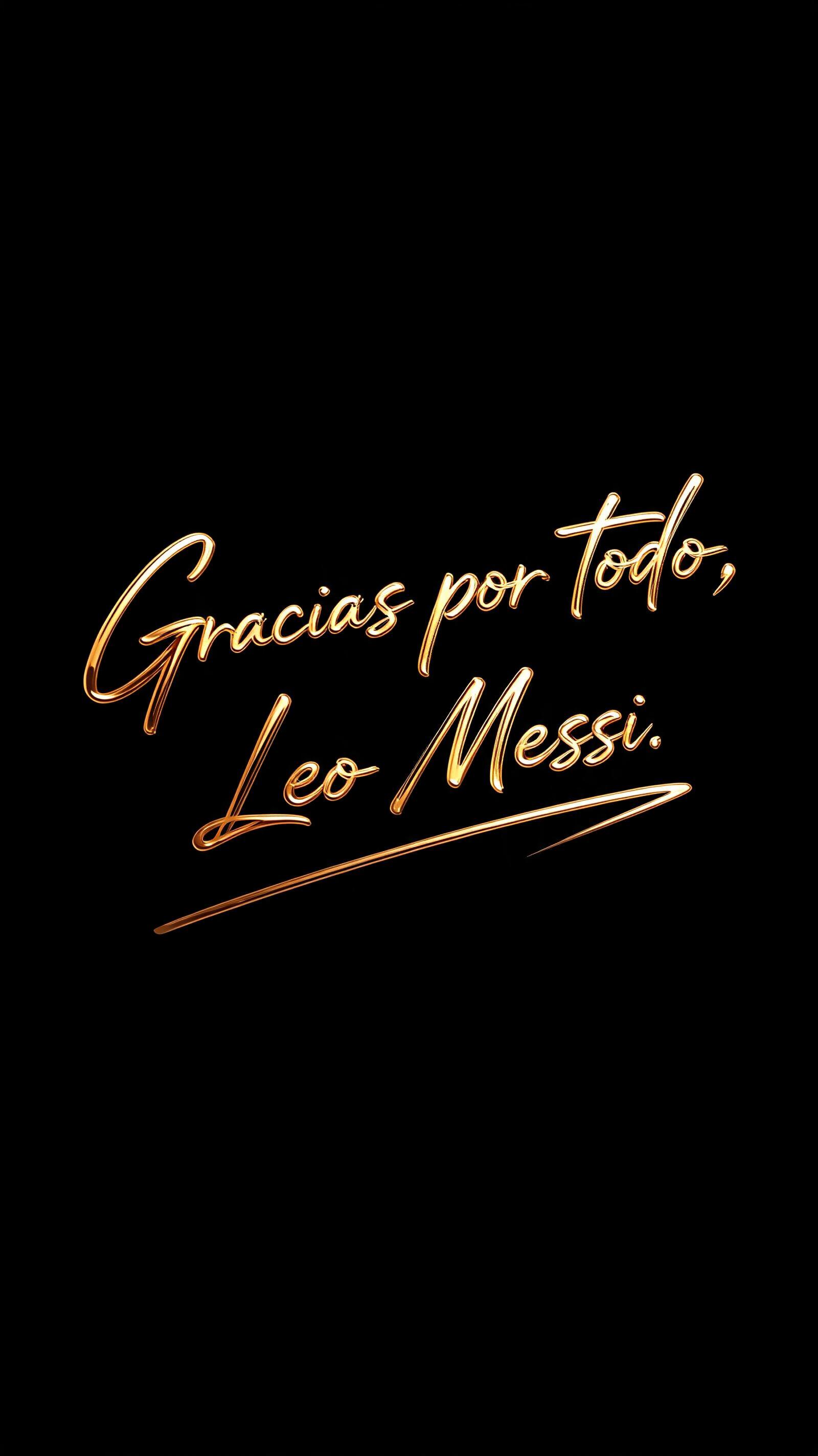
Statement. Gold ink, heavy strokes, drama. For a logo, a cover, a brand that wants to be seen. The gold signature treatment carries this one.
Signatures for Chinese and Other Non-Latin Names
Here's a problem most signature tools ignore: their fonts are all Latin. Type a Chinese name into them and every "style" renders the same, because none of the fonts actually contain Chinese characters — the browser just falls back to one plain system font.
FontVibe added real Chinese brush and calligraphy fonts to fix exactly that — running script (行书), wild grass script (草书), brush regular (楷书) and more. Type a Chinese name and the signature maker auto-detects it and switches to the right group — 简体中文 for Simplified or 繁体中文 for Traditional — rendering your name as genuine calligraphy with real stroke variety, not the same flat fallback over and over.
Where to Put Your Signature
Once you've got a transparent PNG, it drops anywhere. An email sign-off. The corner of a print or artwork. A brand wordmark on a website. A watermark on your photos. A hand-signed feel on a proposal or certificate. Because it's transparent, it lays over any background cleanly — no white box.
One honest note: a signature image is a visual signature — a graphic. For a legally binding e-signature on a contract, use a dedicated e-signature service. What you make here is the look, the brand, the personal mark — for everything short of notarized paperwork.
Three Things That Separate a Good Signature From a Messy One
One flourish, not five. The most common mistake is treating every letter as an excuse for a loop. Pick one stroke to exaggerate — usually the first or last letter — and keep the rest tight.
The first letter has to read. Nobody reads a whole signature; they read the first letter and recognize the shape. If your capital is legible, the rest can flow into abstraction.
Match the weight to the use. A thin elegant signature disappears on a dark poster; a heavy gold one overwhelms an email. Pick contrast to fit where it lands. For a ready-made personal mark, the personal signature generator gets you most of the way.
Make Your Signature Now
Pick a font, draw your own, or generate an AI signature — all free, all instant, all transparent PNG. It's the fastest way to create a signature online. Start in the signature generator and have your mark in under a minute.
Häufige Fragen
How do I create a signature online for free?
Open FontVibe's signature maker, then choose one of three ways: type your name and pick a signature font, draw your signature on the pad by hand, or generate an AI signature. Download the result as a transparent PNG — free, no account, no watermark.
Can I download my signature as a transparent PNG?
Yes. All three modes export a high-resolution transparent PNG, so your signature lays cleanly over any background — documents, photos, websites — with no white box behind it.
Can I make a signature for a Chinese name?
Yes. Type a Chinese name and the signature maker auto-switches to the 简体中文 or 繁体中文 group, rendering it in real brush and calligraphy fonts (行书, 草书, 楷书 and more) instead of a plain fallback — each style genuinely different.
Is an image signature legally valid for signing documents?
A signature image is a graphic — perfect for branding, artwork, email and a hand-signed look. For a legally binding e-signature on contracts, use a dedicated e-signature service; the image you make here is the visual mark, not a notarized one.
Can I use my signature commercially?
Yes. Signatures you generate are yours to use on logos, products, brand identity and social — royalty-free, no attribution required.
Bereit, es selbst auszuprobieren?
Setz diese Prompt-Techniken direkt um — kein Konto nötig, um loszulegen.
Probier den Signatur-Generator →FontVibe in Google als bevorzugte Quelle festlegen
Setz diese Prompt-Techniken direkt um — kein Konto nötig, um loszulegen.
Jetzt gestalten


Kommentare