The Art of Prompting: How to Craft Text That Looks Exactly How You Imagine
Five proven prompt formulas, common mistakes to avoid, and style-specific tips to level up your visual text game.

You type "HELLO" and hit Generate. The result? Fine. Maybe even good. But it's not the one. It doesn't look like what you saw in your head.
The difference between "fine" and "jaw-dropping" almost always comes down to the prompt — that short description guiding the AI on how your text should look. Master the prompt, and you'll go from random outputs to intentional art.
This guide breaks down everything we've learned from thousands of generations on FontVibe. No fluff. Just patterns that work.
Why the Prompt Matters More Than the Style
The style you pick (Neon Glow, 3D Bold, Cinematic, etc.) sets the category. But the prompt controls the details — the texture, lighting, mood, and context that make an image feel alive.
Think of it this way:
- Style = the genre of a movie (action, horror, romance)
- Prompt = the director's vision (lighting, color grade, set design)
A "Neon Glow" style with a vague prompt gives you generic neon text. The same style with a specific prompt can give you rain-soaked Tokyo alley neon orretro arcade cabinet glow. Night and day.
Anatomy of a Great Prompt
Every effective prompt has three layers. You don't always need all three, but the best results usually hit at least two:
Layer 1: Material & Surface
What is the text made of? This is the most impactful single thing you can specify.
Examples
molten lava with glowing cracks · polished chrome reflecting city lights · hand-carved wood with visible grain · frosted glass with ice crystals · liquid gold dripping slowly
Layer 2: Lighting & Atmosphere
How is the text lit? Lighting changes everything — mood, depth, drama.
Examples
dramatic rim lighting from behind · soft golden hour sunlight · harsh neon underlighting in fog · moonlight casting long shadows · studio spotlight on black background
Layer 3: Environment & Context
Where does the text exist? Placing text in a scene gives it story.
Examples
floating above a dark ocean at night · carved into an ancient stone wall · projected onto a skyscraper in rain · written in sand on a tropical beach · displayed on a vintage movie marquee
💡 Pro tip
You don't need to use all three layers every time. Sometimes "chrome text, studio lighting" is all you need. But when you want that wow factor, stacking layers is the move.
5 Prompt Formulas That Actually Work
Stuck staring at a blank prompt field? Start with one of these templates and customize:
Formula 1: Material + Lighting
The workhorse. Works with almost any style.
Template
[material] text with [lighting type]
Example
Brushed titanium text with cold blue studio lighting and subtle reflections
Formula 2: Material + Environment
Great for cinematic, storytelling-driven visuals.
Template
[material] text [placed in environment]
Example
Burning ember text floating above a volcanic landscape at dusk
Formula 3: Emotion + Visual Style
When you want to convey a feeling, not describe a physical material.
Template
[emotion/mood] style, [visual characteristics]
Example
Mysterious and ethereal, translucent text dissolving into particles of light
Formula 4: Era + Medium
Perfect for retro, vintage, or period-specific aesthetics.
Template
[time period] [medium/technique] style
Example
1970s psychedelic poster lettering with rainbow gradients and wavy distortion
Formula 5: "Looks Like" Shortcut
The simplest approach — just describe what it should look like in plain language.
Template
Text that looks like [reference thing]
Example
Text that looks like it was spray-painted on a brick wall with dripping paint
Common Mistakes (and How to Fix Them)
❌ Being too vague
Bad
cool text
Better
Metallic chrome text with electric blue rim lighting on a dark reflective surface
"Cool" means nothing to an AI. Be specific about what makes it cool — is it the material? The lighting? The vibe?
❌ Overloading with contradictions
Bad
Minimalist text with lots of ornate decorations and complex patterns, simple and clean
The AI can't render "minimalist" and "ornate" at the same time. Pick a direction and commit to it.
❌ Writing an essay
Bad
I want the text to be really beautiful and it should look like something you'd see in a high-end magazine advertisement for a luxury brand and the colors should be warm but not too warm and maybe add some sparkle effects but not too much sparkle just a little bit
More words ≠ better results. The AI gets confused with long, rambling prompts. Aim for 10-25 words. Be dense, not long.
❌ Ignoring the style you picked
If you picked the Neon Glow style but your prompt says "watercolor painting on paper" — you're fighting against the style preset. Work with the style, not against it.
Style + Prompt Pairing Guide
Each style on FontVibe has a personality. Here's how to write prompts that bring out the best in each:
🔮 Neon Glow
Loves: night scenes, reflections, rain, urban settings, colored light sources
Try
Neon tube text mounted on a wet brick wall, pink and cyan glow reflecting in puddles
🧊 3D Bold
Loves: strong materials, dramatic angles, studio lighting, metallic finishes
Try
Solid titanium 3D text with dramatic side lighting, floating above dark mist
🎬 Cinematic
Loves: movie-poster energy, depth of field, atmospheric effects, epic scale. Try the cinematic text effect generator →
Try
Epic title text emerging from storm clouds, lightning illuminating each letter
🔥 Fire & Smoke
Loves: combustion, embers, heat haze, dark backgrounds, orange/red color palettes
Try
Charred metal text engulfed in flames, embers rising into a pitch-black sky
✍️ Handwritten Script
Loves: paper textures, ink effects, personal/organic feel, imperfection
Try
Elegant calligraphy written with gold ink on dark navy paper, slight ink splatter
👾 Pixel Art
Loves: retro gaming references, limited color palettes, grid-based precision
Try
8-bit pixel text on a retro CRT monitor, scanlines visible, arcade cabinet setting
The One Rule That Matters Most
Here's the secret nobody tells you: the best prompt writers iterate.
Your first attempt probably won't be perfect. That's fine. Generate it, see what the AI interpreted, then adjust. Add a detail. Remove a contradiction. Swap a material. Each generation teaches you what works.
The gap between a beginner and an expert isn't talent — it's reps. The more you generate, the better you get at speaking the AI's language.
"Prompting is a conversation with the AI. The first message is never the last."
So go ahead — open the generator, pick a formula from above, type something bold, and see what comes back. Then do it again. And again.
That's how you go from "fine" to "holy shit."
Bereit, es selbst auszuprobieren?
Setz diese Prompt-Techniken direkt um — kein Konto nötig, um loszulegen.
✦ Jetzt generierenFontVibe in Google als bevorzugte Quelle festlegen
Setz diese Prompt-Techniken direkt um — kein Konto nötig, um loszulegen.
Jetzt gestalten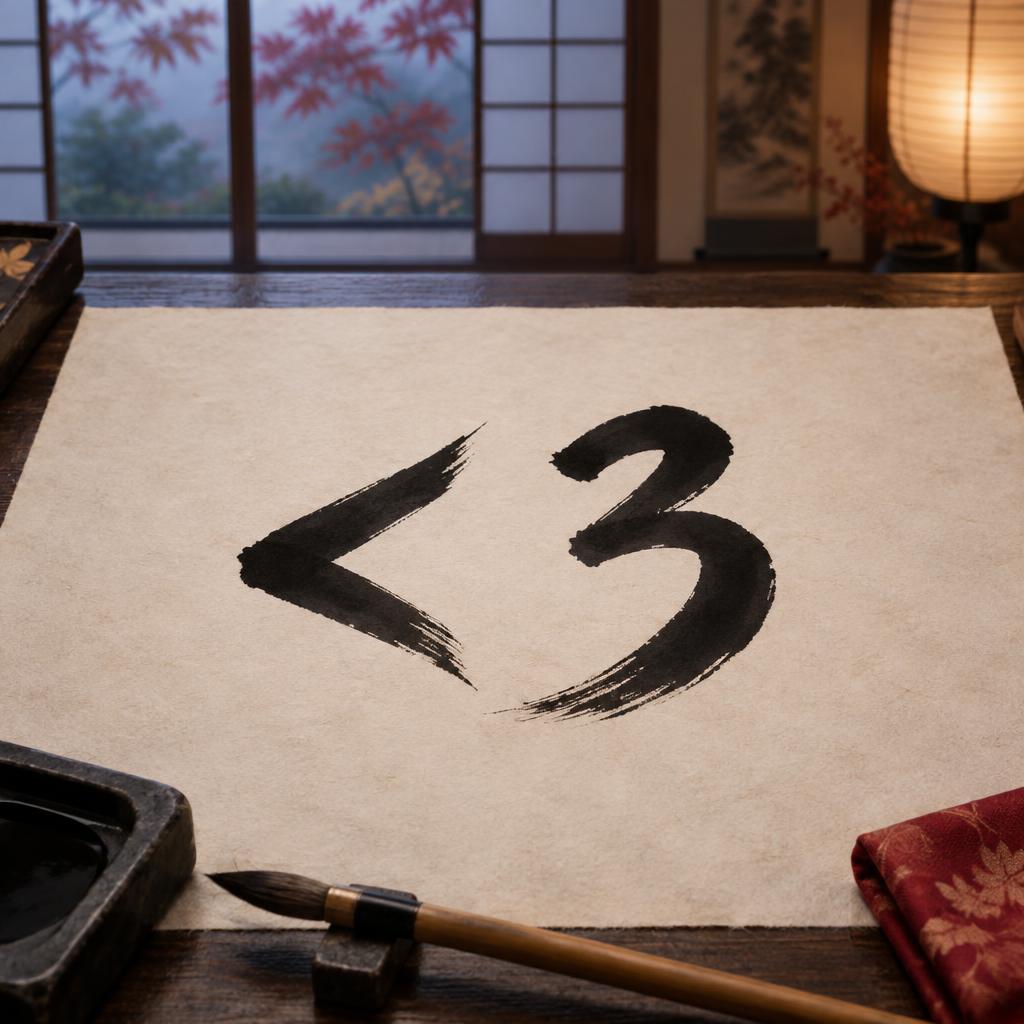

Kommentare