How to Make a Spider-Man: Brand New Day Title Card — Free, No Photoshop
The Brand New Day title card is a red-and-blue 3D comic masthead over a rain-slick New York night. Here's how to recreate that exact title-card look on any word — free, no Photoshop, transparent PNG — plus the matching logo.

Before a single frame of footage, Spider-Man: Brand New Day tells you what it is with one image: a bold red-and-blue 3D comic title floating over a rain-slick New York night. That's the title card — and it's the thing fans have been trying to recreate for their own edits, trailers, and thumbnails since the day it dropped.
Good news: you don't need Photoshop, a font file, or After Effects. This is a step-by-step guide to making a Spider-Man Brand New Day–style title card on any word you want — free, in about a minute, exported as a transparent PNG you can drop straight into your video. We'll build the title card first, then the matching logo.
What Makes a Brand New Day Title Card
A movie title card isn't just a logo on a background — it's a small, deliberate layout. The Brand New Day one has three parts, and once you can name them you can rebuild it on anything.
1. The red-and-blue comic title. Chunky letters with a red front face and a royal-blue 3D depth edge, riding a gentle downward arc. That's the hero element and it fills most of the frame. (For the full anatomy of the lettering — why the blue is depth and not a color band, why the arc matters — see our Brand New Day font breakdown.)
2. A short tagline. One line under the title — a few words, all caps, quiet. It's the "this one matters" layer. Keep it short; a title card is not a paragraph.
3. A grounded night-city backdrop, in 16:9. The thing that separates a real title card from a sticker is the world behind it: a dark, rain-slick New York street, soft neon, a little haze. And it's always widescreen — a title card lives on a 16:9 frame, not a square.
How to Make Your Title Card — 3 Steps
1. Type your title and a tagline. Put your main title on line one and a short tagline on line two — for example a name, a fan-series title, or an episode name. All caps, short, reads strongest. Add a third line for a release or date line if you want the full one-sheet feel.
2. Open the title card maker. Head to the Spider-Man Brand New Day title card maker and it builds the whole thing — red-face / blue-depth comic title, the arc, the stacked tagline, and the grounded night backdrop — automatically, in 16:9.
3. Download the PNG. Export a high-resolution image, or a transparent PNG if you want just the title to drop over your own footage. No white box, no watermark, free.
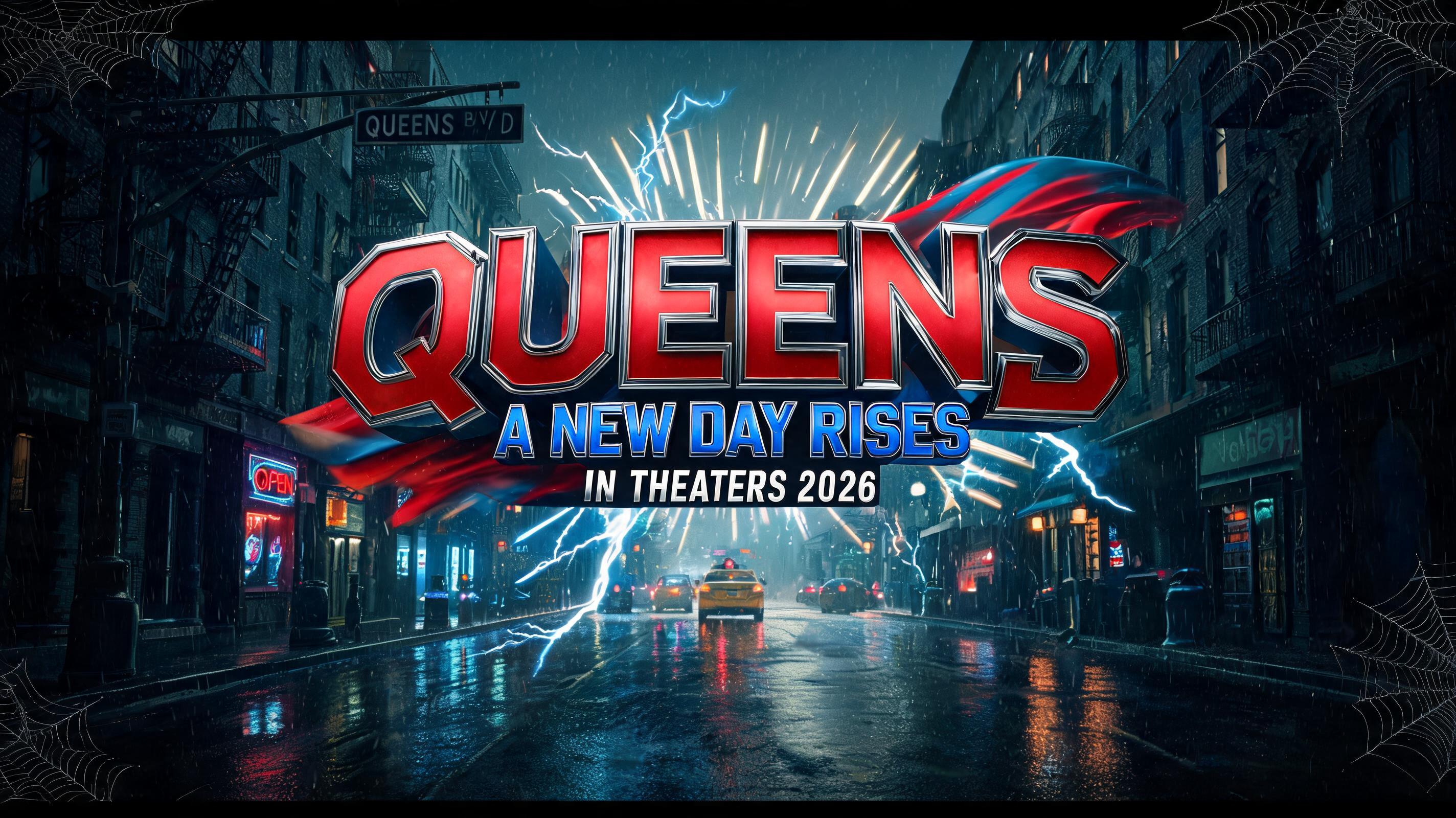
Get the Format Right: 16:9, Three Lines, Letterbox
The single biggest tell of a fake title card is the wrong shape. A title card is 16:9 — the same frame as your video. Make it square and it reads as an Instagram post, not a movie. Make it vertical and it's a poster, not a title card.
Inside that frame, the layout is a three-line stack: the big red-and-blue title dominates the center, a short tagline sits directly beneath it, and a tiny release or date line anchors the bottom. Give the title roughly two-thirds of the visual weight and let the other two lines stay small and quiet. A soft letterbox and a little vignette do the rest of the cinematic work.
Drop It Into Your Edit
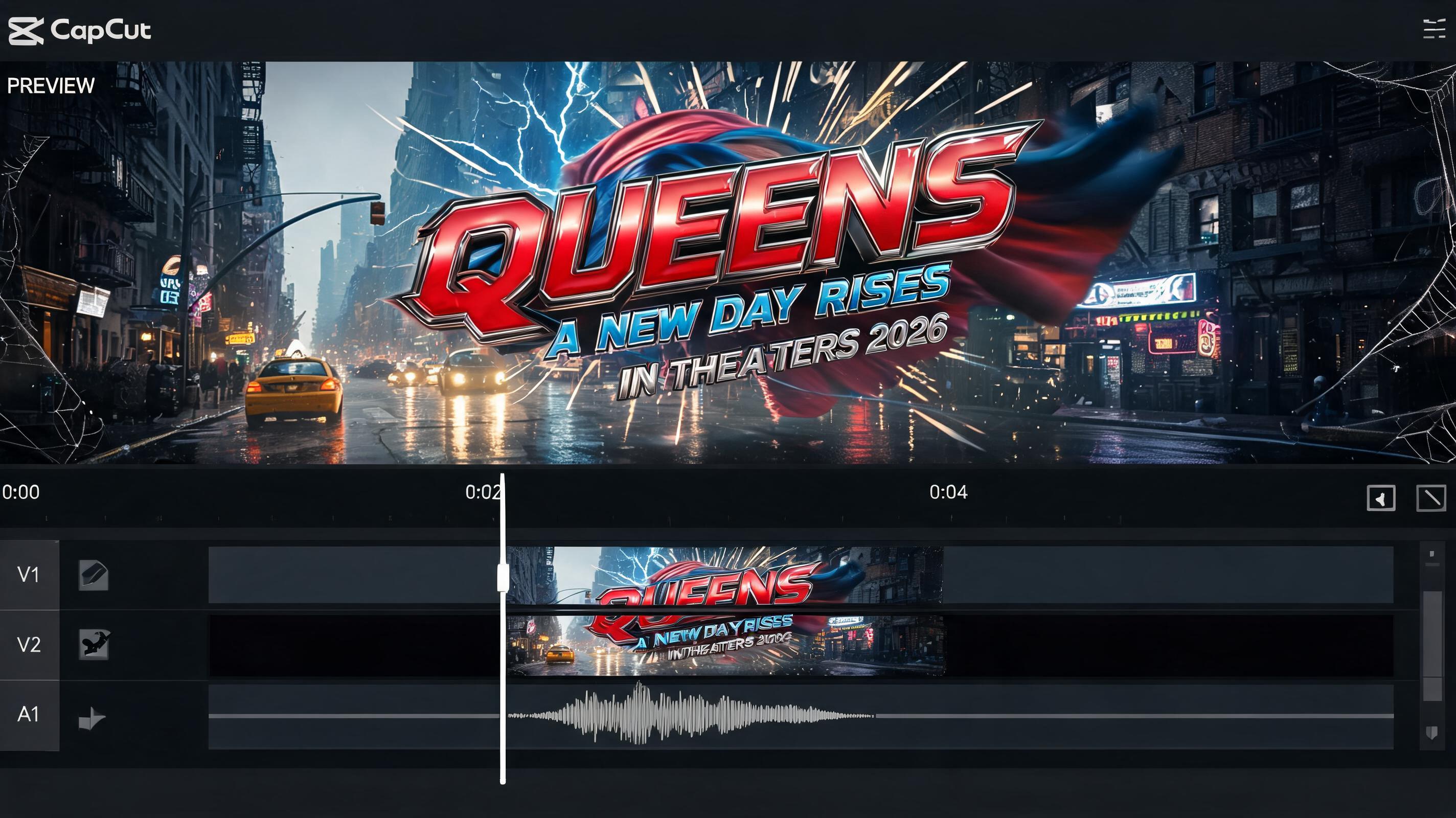
This is where a transparent PNG earns its keep. Export the title with a transparent background and you can lay it straight over your opening shot in any editor.
In CapCut, Premiere, or DaVinci: import the PNG as an overlay layer, place it over your first clip, and add a short fade-in. If you exported on the dark night backdrop instead, drop the whole 16:9 card in as your opening frame and hold it for two seconds before the footage starts. Either way, a Screen or Normal blend keeps the edges clean.
Making a vertical intro for TikTok or Reels instead? Generate the same title and the maker gives you a 9:16 version too, so the title fills a phone screen without black bars.
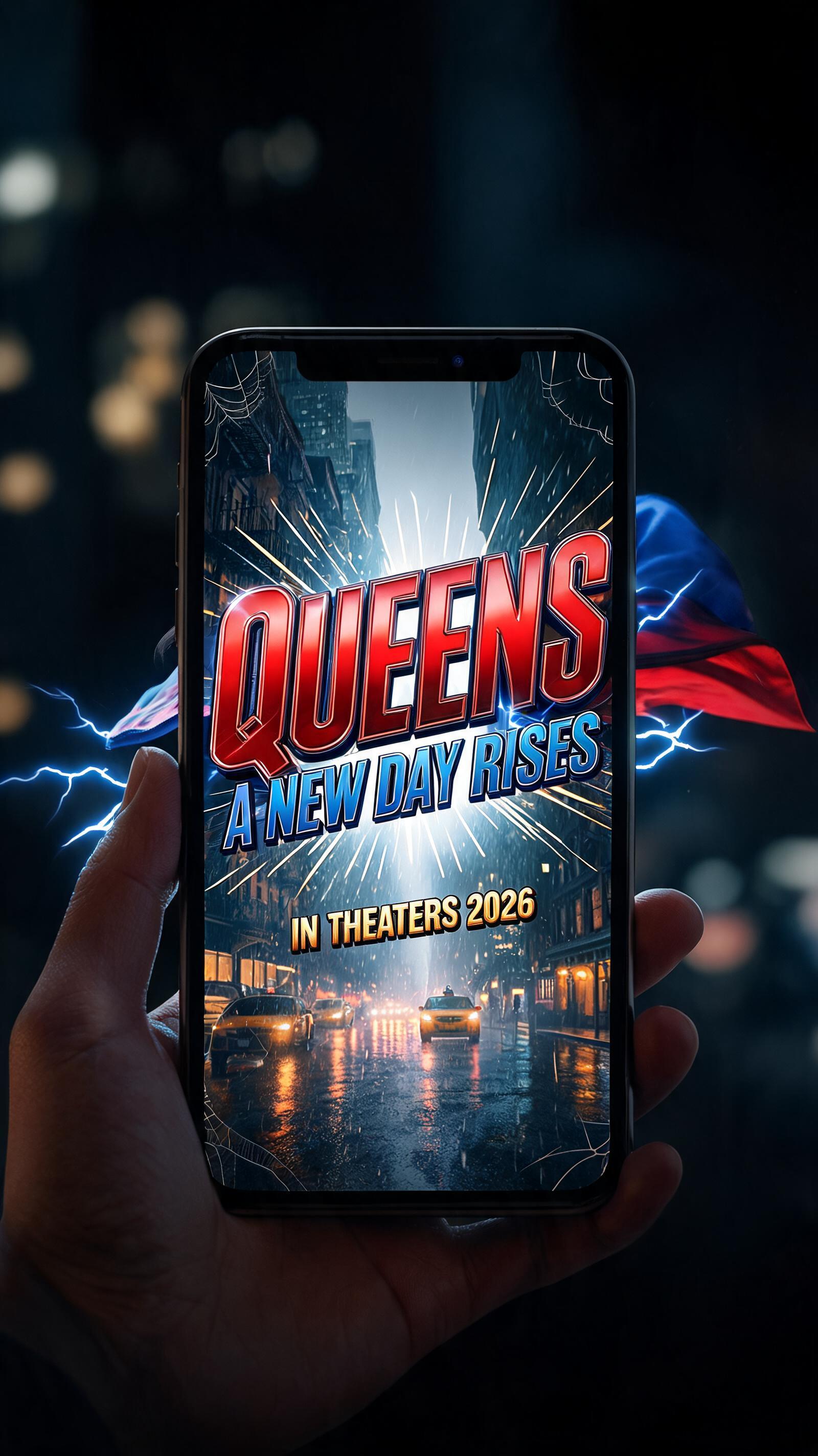
Make a Matching Logo Too
A title card is for your video; a logo is for everything else — your avatar, your channel, a hoodie, a sticker. Same red-and-blue comic DNA, square and emblem-shaped instead of widescreen.
Put your name or handle into the Spider-Man Brand New Day logo maker and you get a clean red-and-blue comic emblem, ready as a transparent PNG. Use the title card for your opening frame and the logo for your profile picture, end card, and merch — one look across your whole channel.

Where Title Cards Land
Fan trailers and edits. A blockbuster-grade opening title for your own cut. The grounded night backdrop is what makes it look like a real one-sheet instead of a meme.
YouTube thumbnails. The high-contrast red-and-blue is built for tiny sizes — it pops in a feed where a subtle title would vanish.
TikTok and Reels intros. A two-second title card at the top of a short earns the watch-time — it signals "this is a real edit" instantly.
Wallpapers and posters. Drop your own title on the night-city frame and print it, or set it as a lock screen.
Three Mistakes That Kill a Title Card
A tagline that's too long. A title card is a shout, not a sentence. Two to four words under the title, max. If it needs a full line of explanation, it belongs in the description, not the card.
A flat or empty background. Pure black or a plain gradient reads as a template. The grounded, rain-slick night city is half the effect — keep it.
The wrong ratio. Say it again because everyone gets it wrong: a title card is 16:9. The maker defaults to it for exactly this reason.
Make Your Title Card Now
Type your title, add a short tagline, and download a free 16:9 title card — the whole red-and-blue comic look over a cinematic night city, built for you in seconds. Open the Brand New Day title card maker and have your opening frame before the trailer finishes buffering. For more film-title looks beyond Spider-Man, the cinematic movie title styles cover the rest.
Frequently asked questions
What is the Spider-Man: Brand New Day title card?
It's the film's opening title treatment — a bold red-and-blue 3D comic title with a short tagline, set over a rain-slick New York night in widescreen. It was one of the first things revealed for the movie, which releases July 31, 2026.
How do I make a Brand New Day title card for free?
Type your title and tagline into FontVibe's title card maker, let it build the red-and-blue comic title over a night-city backdrop in 16:9, and download the image — free, no account, no watermark.
What size should a title card be?
16:9 (widescreen), the same frame as your video. The maker also gives you a 9:16 vertical version for TikTok and Reels intros.
Can I use the title card in a video?
Yes. Export a transparent PNG and drop it over your footage in CapCut, Premiere, or DaVinci as an overlay, or use the full 16:9 card as a two-second opening frame. The images are yours to use royalty-free.
Can I make a matching logo?
Yes — put your name into the Brand New Day logo maker for a square red-and-blue comic emblem in the same style, ideal for avatars, end cards, and merch.
Is this the official Spider-Man title card or font?
No. This is an original AI text effect inspired by the classic red-and-blue comic superhero title look. FontVibe is a fan tool — not affiliated with, endorsed by, or licensed by Marvel or Sony — and it does not reproduce any official logo, emblem, or artwork.
Ready to try it yourself?
Put these prompt techniques into practice — no account needed to start.
Try Spider-Man →Add FontVibe as a preferred source on Google


Comments