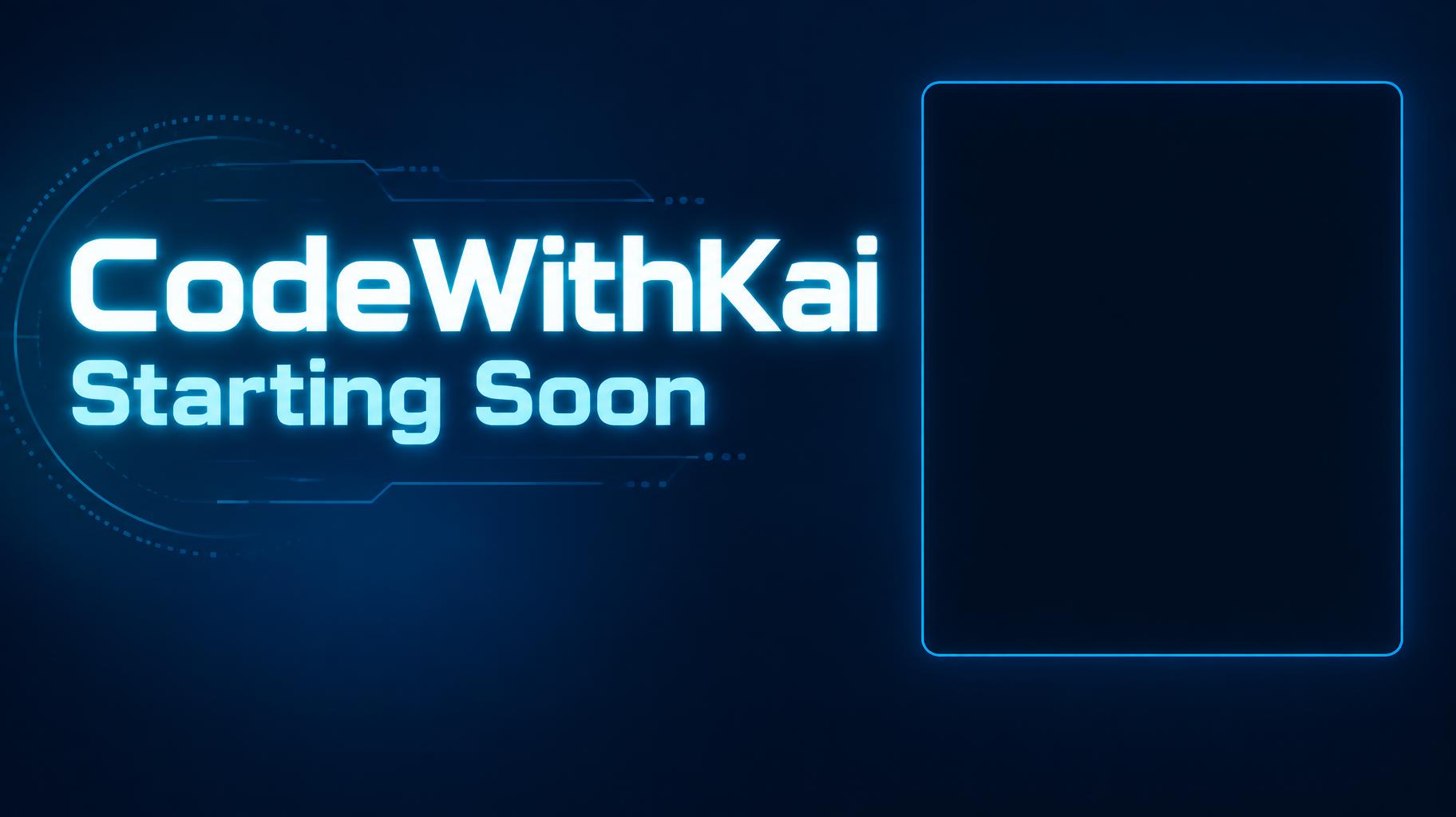
CodeWithKai Starting Soon - Cyan Stream Interface Text Effect
この作品と同じ OpenAI GPT-Image-2.5 Sunburst を使用 · 15 クレジット
"CodeWithKai — Starting Soon" は、プログラミング配信向けの、すっきりしたネオンのテック風配信画面です。チャンネル名とステータスの光るシアンの文字が濃い青の画面の左にあり、右にはWebカメラを置くためのシアンで縁取った空の角丸の枠があります。自分の名前とステータスで作り直せます。
Create a finished full-screen stream overlay for OBS or Streamlabs, 1824 × 1024 px, 16:9. Render exactly these two text strings, with no other text: “CodeWithKai” and “Starting Soon”. Make “CodeWithKai” the dominant channel wordmark, set large and bold in the upper-left area; place the equally phone-legible status line “Starting Soon” directly below it. Use custom geometric sans-serif lettering: extra-bold, broad, cleanly cut terminals, open counters, close but distinct spacing, bright neon cyan letter faces with a narrow white-cyan luminous core and a controlled cyan halo. Keep every letter crisp and highly legible at thumbnail size. Use a deep blue-to-navy background with restrained blue light falloff and a few faint, low-contrast technical line details confined to the left text area. On the right, reserve a large empty, plain dark rectangle for the webcam, approximately 34% of canvas width and 60% of canvas height, with only a fine subdued cyan perimeter rule; leave its interior completely clear and dark. Maintain a clear gap between text and webcam area. Keep all key elements within generous safe margins. No chat, timer, interface elements, extra copy, busy imagery, or details along the edges. High-contrast digital broadcast graphic, precise vector-like edges, subtle emissive glow, clean composition.
タグ
2026年10月6日に生成 · 1824 × 1024 · JPEG · OpenAI GPT-Image-2.5 Sunburst · レイアウト:Text Left Webcam Right · 制作者がシェア · 商用利用無料(CC BY 4.0)