Canva Alternatives: 7 Free Tools Tested on 4 Designs
Canva Free and 7 alternatives on the same 4 text-heavy jobs: steps, paywalls, exports, free-plan limits and scores. FontVibe is ours.
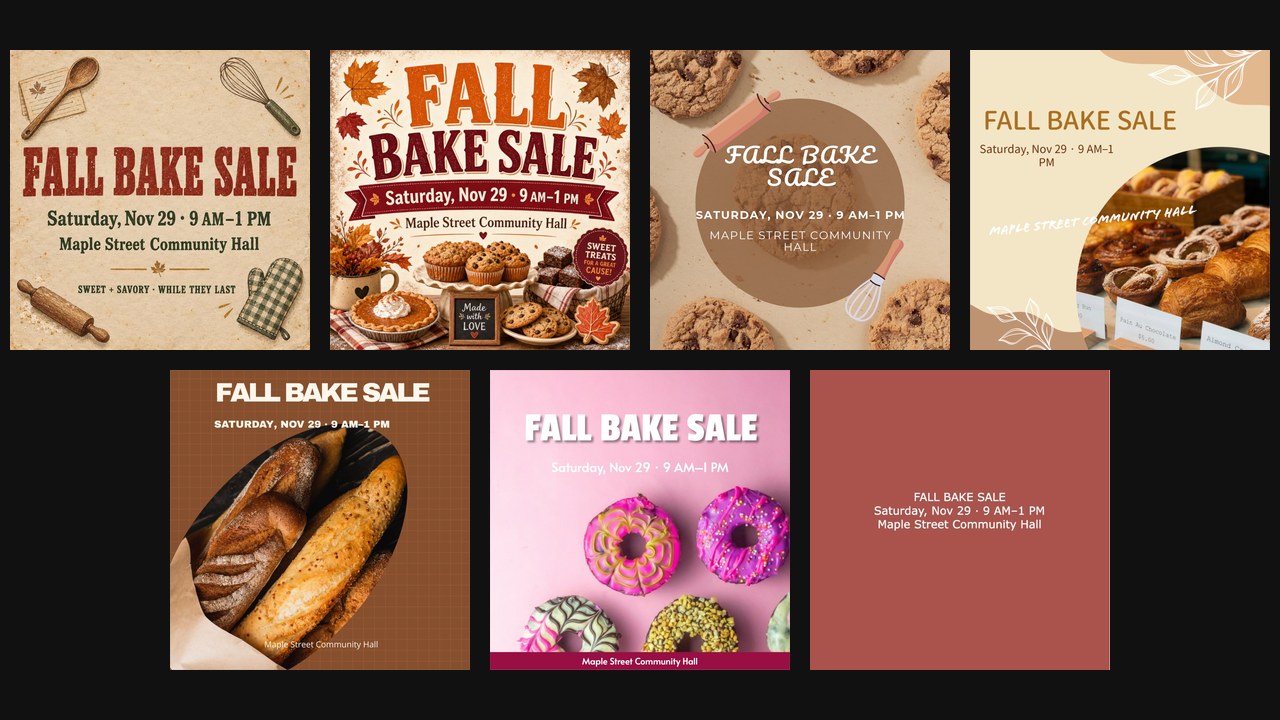
For text-heavy designs, the best free Canva alternative in our test was Polotno Studio if you edit templates, and Kittl or FontVibe if you want AI to make the design. Polotno Studio was the only tool that finished all four of our jobs on its free plan, with no account. Kittl and FontVibe produced the best-looking results, with scores close together. We make FontVibe, so weigh that last point accordingly.
We gave Canva Free and seven alternatives the same four jobs: an Instagram post, a YouTube thumbnail, a US Letter gig poster and a round coffee badge on a transparent background. We counted every step, noted every paywall, checked the exported files, and scored each result. All the images below are the tools' own results; for Canva's last three jobs we stopped at the export dialog, so those are canvas previews.
Key takeaways
- Polotno Studio finished all four jobs on a free plan with zero paywalls and no sign-up. Its weak spot is the template library, which had nothing for a poster or a badge.
- Of the template tools, Canva Free had the best templates, and it hit the most paywalls: 7 in four jobs. Transparent backgrounds and resizing are both Pro.
- The two AI tools that produced images, Kittl (8.6) and FontVibe (8.8), scored 2 to 2.2 points above the best template tool, Canva (6.6). Most of that gap comes from our rule of taking the first free template, which often didn't match the job; where no template existed, we built from a blank page ourselves.
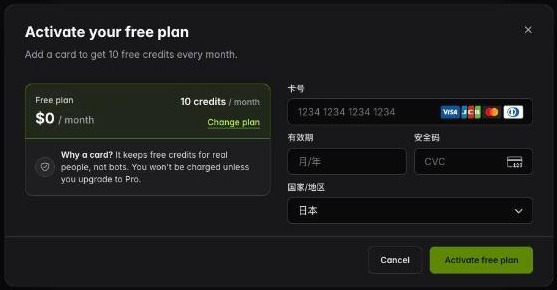
- We got no images from Snappa. Its free plan now asks for a credit card before the first generation, and we chose not to add one.
- Our brief had the wrong weekday. Of the two AI tools that made images, only FontVibe asked about it. That was our mistake, and we explain it below.
Which Canva alternative should you pick?
Polotno Studio is the pick if everything must be free, Adobe Express if you want Canva-like templates with fewer paywalls, and Kittl or FontVibe if you want a finished design from one sentence. Here's the full list, based on the test.
| If you need | Pick | Why, from our test |
|---|---|---|
| Everything free, no account | Polotno Studio | 4 of 4 jobs on the free plan, 0 paywalls, transparent PNG and PDF free |
| Canva-like templates with fewer paywalls than Canva | Adobe Express | 2 paywalls vs Canva's 7; transparent PNG free; 5,000+ free fonts |
| To upload your own font on a free plan | VistaCreate or Polotno Studio | Both allow it on free plans; Canva, Adobe Express, Kittl and Pixlr don't |
| A finished design from one sentence | Kittl or FontVibe | Highest scores (8.6 and 8.8); every word spelled right |
| Commercial use from an AI tool's free plan | Not Kittl | Kittl's free plan is personal use only; Adobe Express and Pixlr state commercial use for AI output, and FontVibe labels its results "Commercial use OK" |
| A quick edit with no templates | Pixlr | Full text tools for free, but only 3 saves a day |
The results: scores, steps and paywalls
FontVibe and Kittl scored highest, and every other tool trailed them by at least two points. With one scorer and one run per job, our scoring can't tell which of the two is better when they're only 0.2 apart. Scores are out of 10 and average the four jobs. Steps count every click, typed entry, keyboard shortcut, drag and closed pop-up, from the home page to the exported file, including each tool's one allowed fix. Paywalls count each time a Pro or Premium lock stopped us and we had to pick something else or give up.
| Tool | Path we took | Avg score | Steps (4 jobs) | Paywalls hit | All 4 jobs on the free plan? |
|---|---|---|---|---|---|
| FontVibe | AI (Vibe) | 8.8 | 34 | Not measured (paid account); transparent PNG download needs a paid plan | Partly: no PDF; transparent PNG download needs a paid plan; square post 1024px, not 1080 |
| Kittl | AI (Agentic AI) | 8.6 | 43 | 3 | Partly: 800px max, no PDF, no commercial use |
| Canva Free | Templates | 6.6 | 133 | 7 | Partly: no transparent PNG; poster needed a workaround |
| Adobe Express | Templates | 6.3 | 182 | 2 | Partly: poster built on a blank page, badge only 500px |
| VistaCreate | Templates | 5.8 | 152 | 3 | Partly: poster only at 18×24 in, badge only 500px |
| Polotno Studio | Templates, no account | 4.9 | 174 | 0 | Yes |
| Pixlr* | Blank canvas | 3.9 | 95 | 1 (daily save limit) | Partly: 3 saves a day; PDF page size wrong |
| Snappa | AI | — | — | 1 (card required) | No: no image without adding a card |
*Pixlr Express showed us no templates for these jobs, so we built all four Pixlr designs from a blank canvas. Its score reflects our blank-page work, not what a designer could do in it. The same applies to Adobe Express's poster and Polotno Studio's badge, which we built on a blank page because no matching template came up.
FontVibe is our product, and we tested it on our own paid Expert account, so it never showed us a free-plan wall. Its free-plan column is based on the pricing page, our product's own rules and the credit costs we measured. The scores judge what is on the image, including whether the badge background is transparent. File size, PDF and paywalls are kept out of the scores and sit in the last two columns and in the free plan table. FontVibe's badge was scored on the transparent image it generated; on a free plan you can preview that image but not download it.
How we tested
Every tool got the same four jobs, typed or pasted word for word:
- Instagram post, 1080×1080: "FALL BAKE SALE" / "Saturday, Nov 29 · 9 AM–1 PM" / "Maple Street Community Hall"
- YouTube thumbnail, 1280×720: "I SURVIVED 7 DAYS OFFLINE", big title with an outline or shadow, right third left empty
- Gig poster, US Letter (8.5×11 in), exported as PDF: "BURNING ORCHARD" / "with THE LOW TIDES" / "SAT DEC 13 · DOORS 8 PM" / "THE CELLAR · 22 MILL STREET" / "TICKETS $15"
- Round badge logo, 1000×1000, transparent background: "NIGHTSHIFT COFFEE · EST. 2026", with the name on a curve
We started each job from the tool's home page while logged in to a free account. Two exceptions: Polotno Studio needs no account, and FontVibe, our own product, was tested on our paid Expert account. Where a tool offered both templates and an AI box, we took the path its home page puts first, with two more exceptions. Adobe Express puts an AI Assistant first, but it asks you to accept extra terms, so we used templates. For Pixlr we used the Express editor rather than the AI generator on Pixlr's main home page. In template tools we searched the job's keywords and used the first free result, even when it didn't fit. We allowed one fix per job. Competitors were tested on November 26, 2026 (Pixlr's badge and its post fix on November 27, because of its daily save limit), and FontVibe on November 27.
We scored each image the same way as in our AI text effect generator test: readability 20%, design execution 35%, layout and complete information 25%, appeal 20%. We wrote a reason for every score before giving the number. When a tool added copy that wasn't in the brief, we took 1 or 2 points off its layout-and-information score, which is worth 25% of the total. More of our tests are collected under AI image reviews.
Our brief had a mistake. November 29 and December 13, 2026, are both Sundays, but we wrote "Saturday" and "SAT". We didn't plan this. Of the two AI tools that made images, only FontVibe asked which day we meant, on both the post and the poster. The template editors simply place the text you type. We told FontVibe to keep the text exactly as written, so every tool shows the same words.
Limits worth knowing: one run per job, one tester, and the scorer works for the company that makes one of the tools. Adobe Express showed us Japanese-region templates because of our location; we kept that default. VistaCreate and Pixlr redirected us to their Japanese interface.
Job 1: which tool made the best Instagram post?
Kittl, FontVibe and Canva made posts you could publish as is; for the rest, the first template still needed a lot of work. Both AI tools added copy we never asked for: FontVibe one line ("SWEET + SAVORY · WHILE THEY LAST"), Kittl two ("SWEET TREATS FOR A GREAT CAUSE!" and "Made with LOVE"). That cost FontVibe a quarter of a point and Kittl half a point.
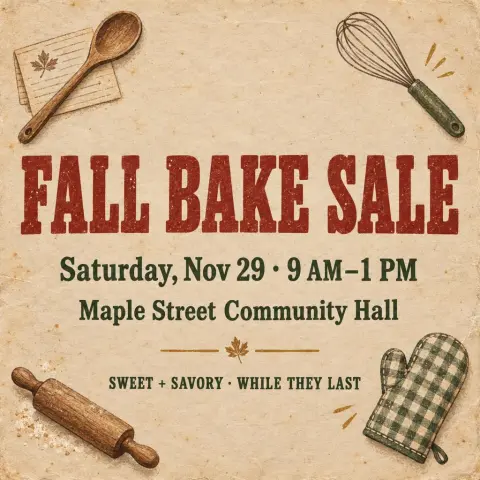
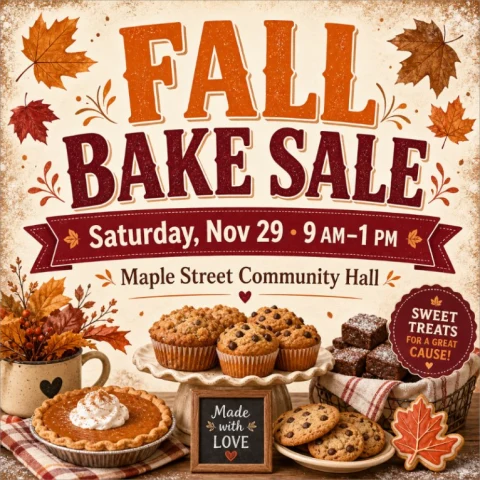
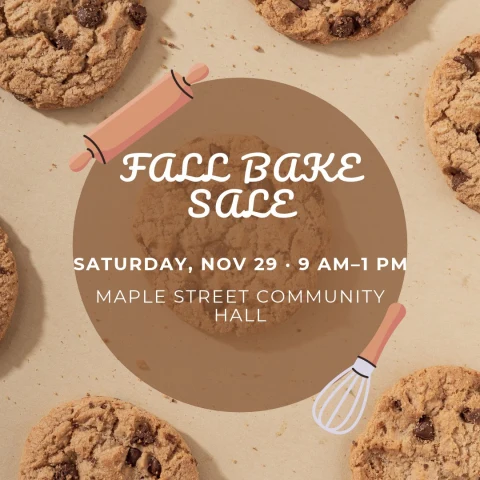
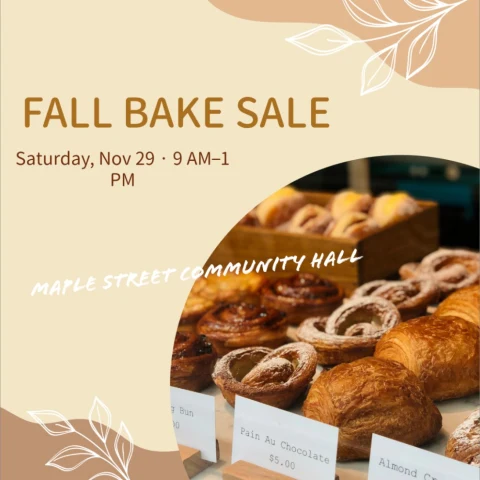
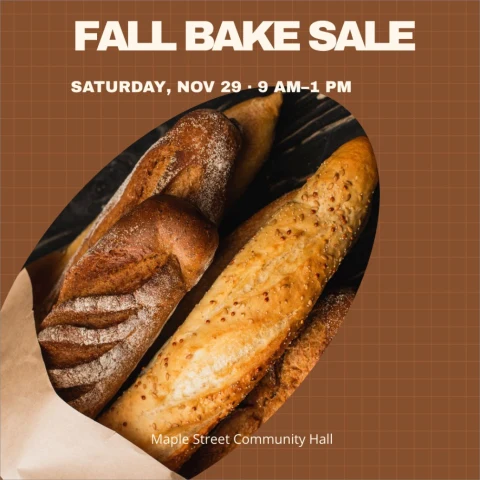
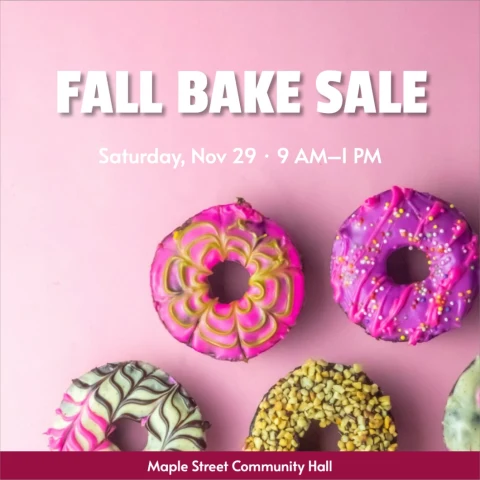
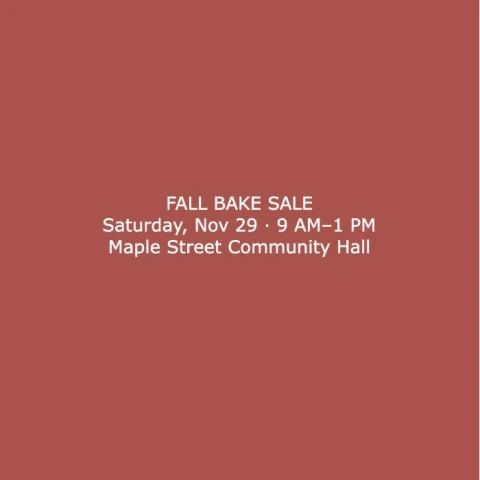
Canva's first free square template was the second result; the first was Pro. Its Instagram search also defaults to 4:5 portrait posts now, so we had to filter for squares.
Job 2: which YouTube thumbnail reads best on a phone?
Only FontVibe and Kittl delivered all three asks well: a big title, a visible outline and an empty right third. Canva kept the right third empty, but its dark red outline disappears against the trees. The other template tools put a photo or text in that right third, because the first free template had one there. A thumbnail works or fails on how big the words are on a small screen, which is why our YouTube thumbnail maker starts from the text.
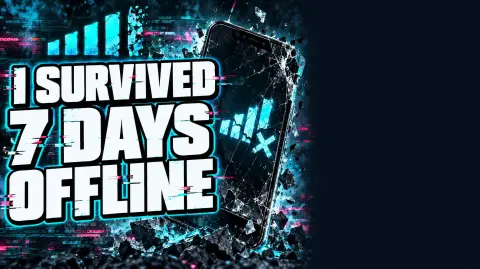
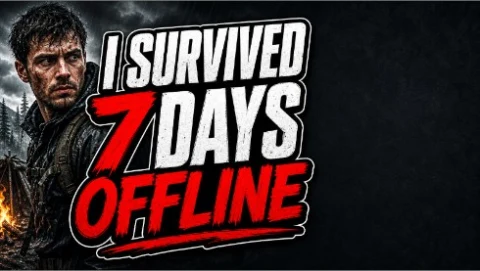
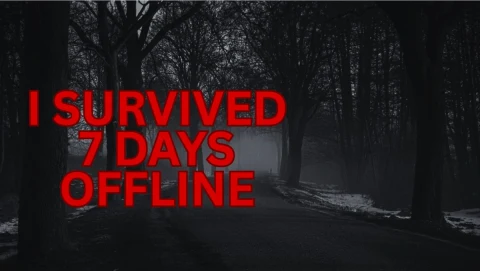
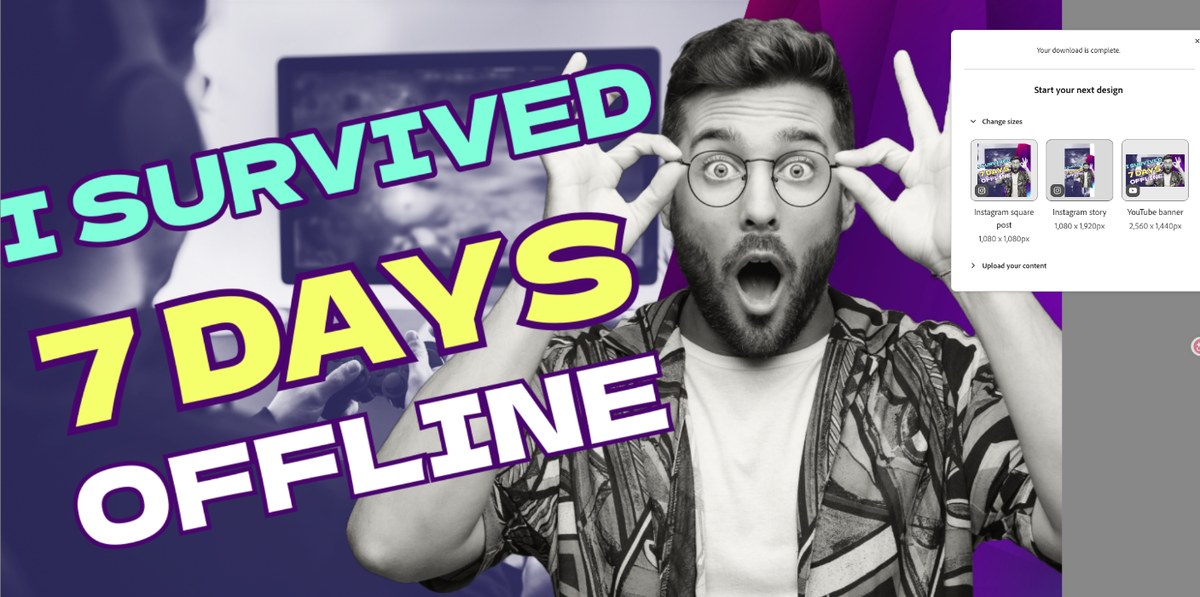
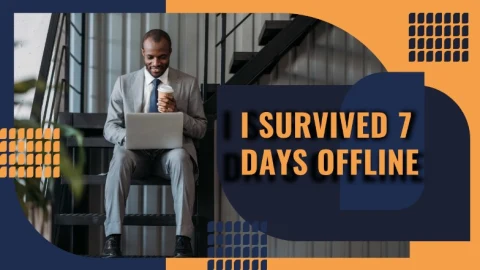
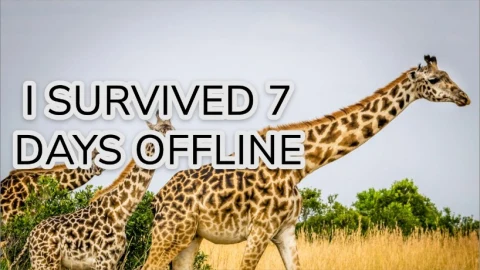
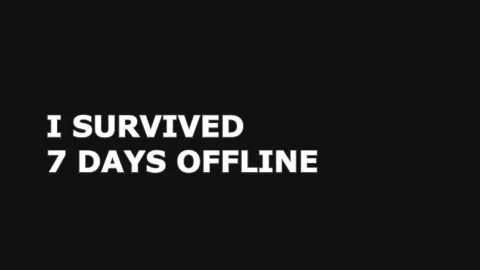
VistaCreate's text effects have no outline preset, so we used a shadow there. Canva, Adobe Express and Polotno Studio all had free outline effects.
Job 3: can a free plan make a printable US Letter poster?
Adobe Express and Polotno Studio each gave us a free US Letter PDF, and Canva's export dialog offered one; all three needed a detour to get there. None had a portrait Letter gig poster template, and Canva, Adobe Express and VistaCreate all lock "Resize" behind their paid plans.
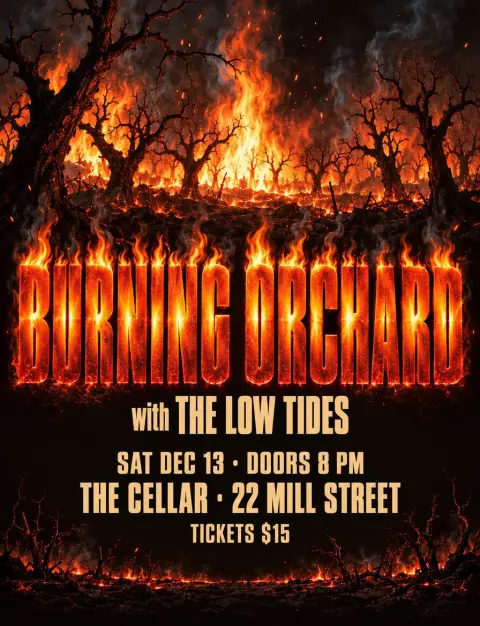
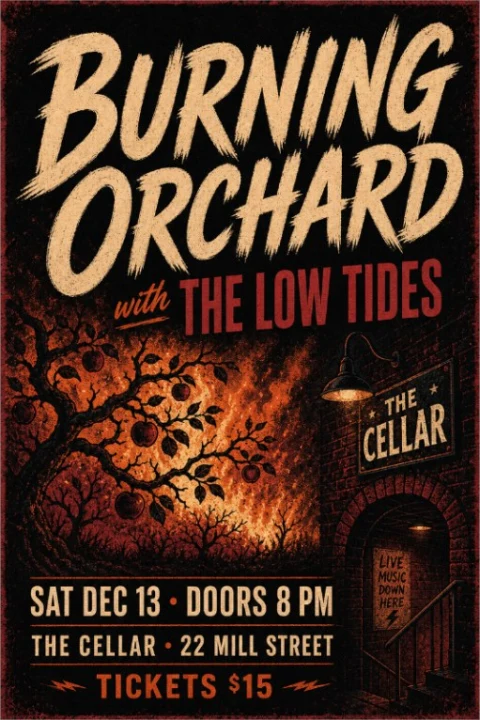
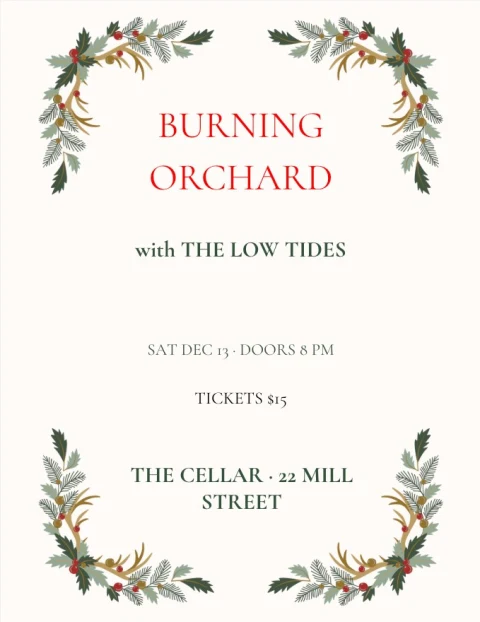
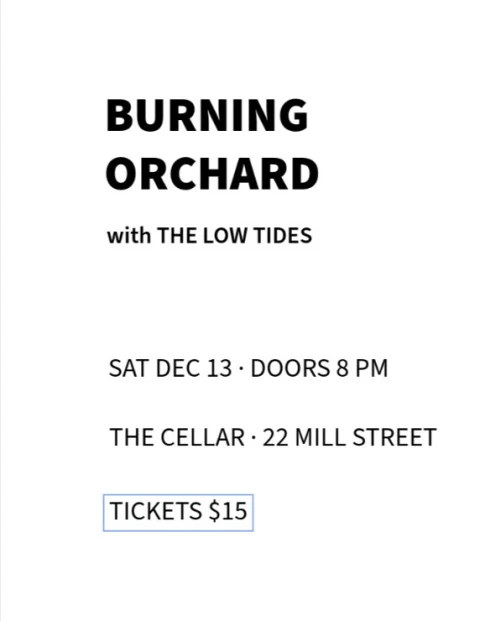
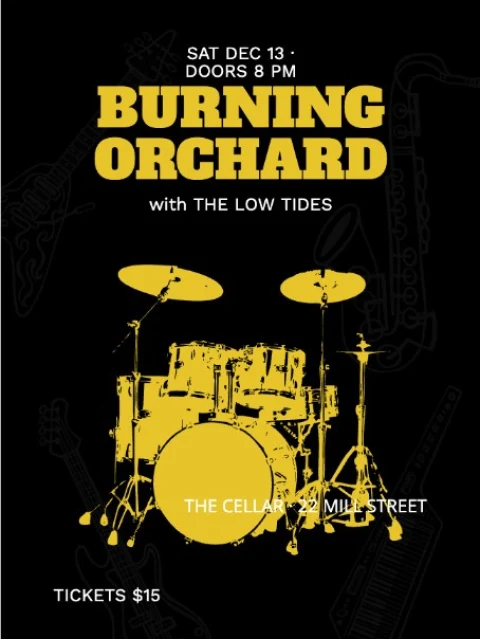
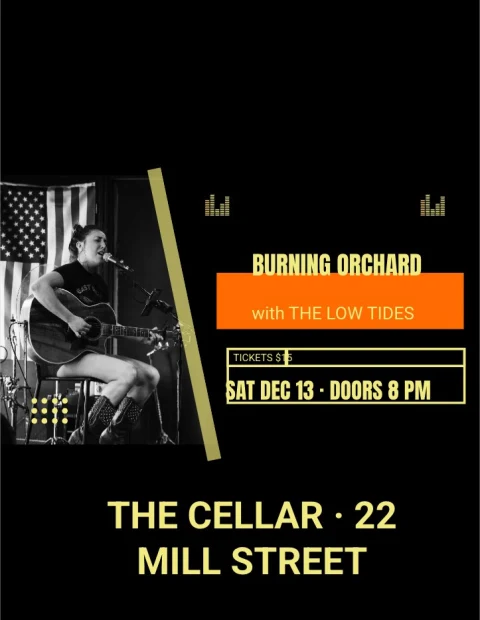
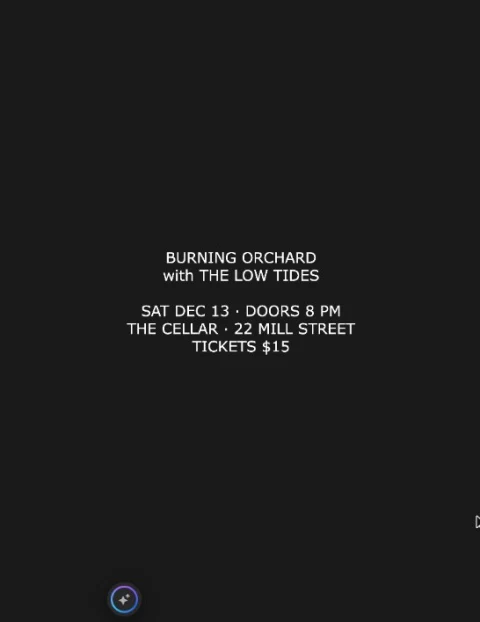
The PDFs differ more than the pictures do. Canva offered a free PDF of our Letter page; we stopped at its export dialog, so we didn't inspect that file. Adobe Express exported a real 8.5×11 in page with selectable vector text. Polotno Studio's PDF was the right size, but with default settings it was a single flattened 72 dpi image with no selectable text. Pixlr's PDF used the pixel dimensions as the page size, so a 2550×3300 px flyer became a 35×46 inch page. FontVibe can't export a PDF at all, and its 896×1168 JPEG works out to about 105 dpi at Letter size, which is soft for print.
The fire lettering FontVibe chose is close to our fire text style. We ran the same band name through AI tools in October, using prompts only; the results are in our AI text effect generator test.
Job 4: who can export a transparent badge for free?
Four tools gave us a free transparent PNG straight from export: Adobe Express, VistaCreate, Polotno Studio and Pixlr. Kittl got there too, but only through its AI background remover, which spends free tokens, and the file came out 794×800. None of the four gave us 1000×1000 and a good badge at the same time. The Adobe Express and VistaCreate templates were 500×500, and free accounts can only export at template size. Polotno Studio and Pixlr had no badge template at all.
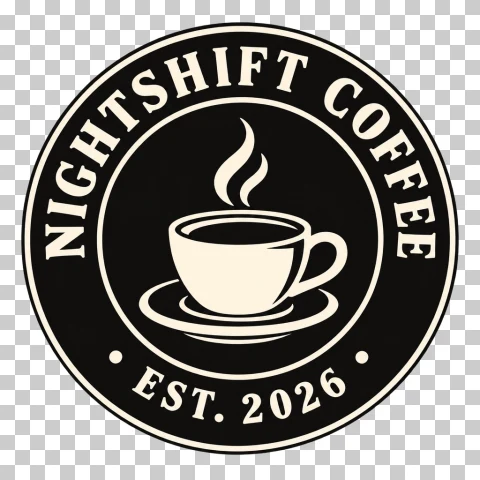
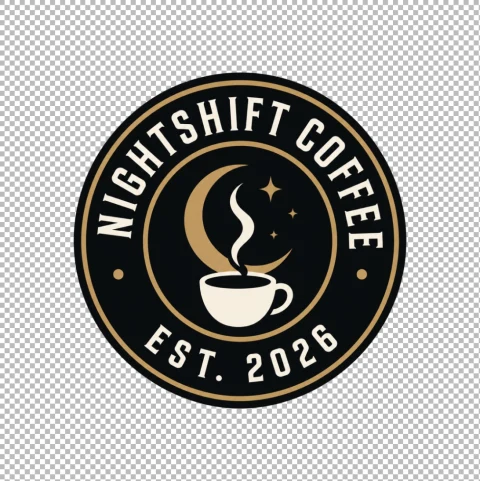
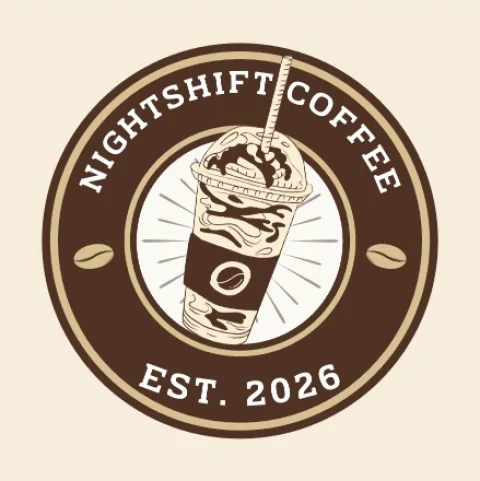
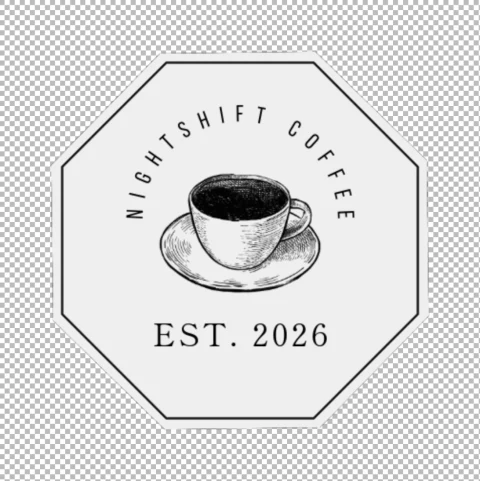
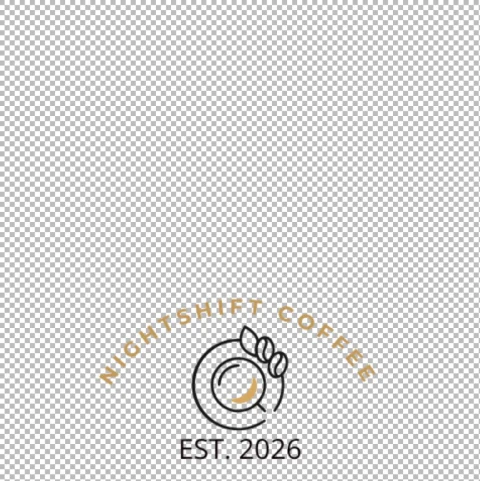
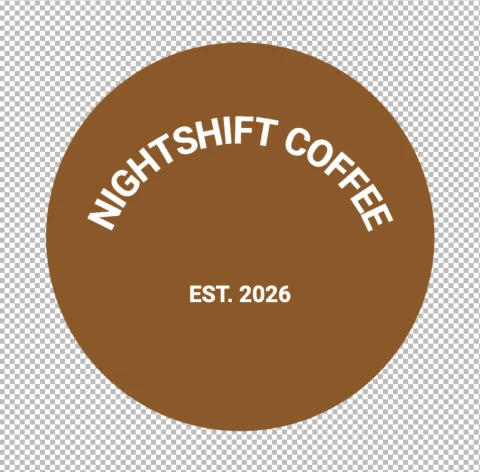
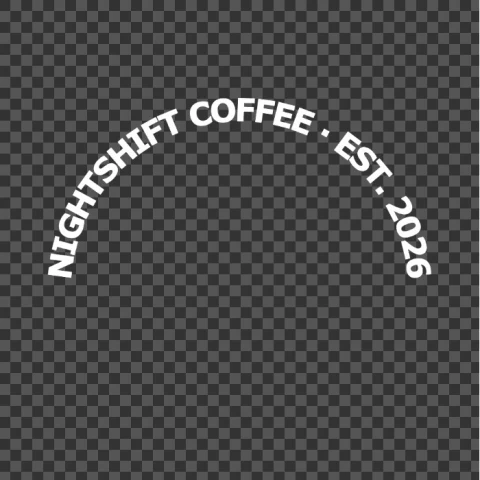
We should be plain about FontVibe here. Anyone can generate and preview a transparent design on FontVibe for free. Downloading the transparent PNG requires a paid plan, and the download itself costs no credits. A free account downloads the JPEG version with a solid background. So for a free user, job 4 is a miss on FontVibe too.
Free plans compared
Only Polotno Studio gives free users transparent PNG, resizing and commercial use together; Canva locks the first two behind Pro, and Kittl's free plan bans commercial use. We read each vendor's pricing and help pages on November 26, 2026 (FontVibe's on November 27) and filled the gaps with what the free accounts showed us during the test. Sources for every cell are in the appendix.
| Canva Free | Adobe Express | VistaCreate | Kittl | Snappa | Polotno Studio | Pixlr | FontVibe | |
|---|---|---|---|---|---|---|---|---|
| Account needed | Yes | Yes | Yes | Yes | Yes, plus a card | No | No for the editor | Yes |
| Download limit | Daily limit, number not published | None hit (4 downloads) | No limit (stated) | None hit (7 exports) | 10 images a month | Not stated | 3 saves a day (tested) | Not stated |
| AI on the free plan | "Limited" | Daily generations, number not published | Not included (help center) | 100 tokens, one time | 10 credits a month | 100 credits a month | 20 credits for new users | 30 credits a day, up to 200 a month |
| Transparent PNG | Pro | Free (tested) | Free (tested) | Paid option; free via AI background remover (uses tokens) | No | Free (tested) | Free (tested) | Generate free; download needs a paid plan |
| Free export size | Design size only | Template size only | Design size; HD is Pro | 800px max | Up to 3,840px | Adjustable | Up to 4096×4096 canvas | 1K default in our test (1024×1024 square, 896×1168 poster); FontVibe's FAQ says free accounts render at 2K |
| Free | Free, vector text | Free | Paid | No | Free; flattened by default | Free; page size wrong | No | |
| Resize a design | Pro | Premium | Pro | — | — | Free | — | — |
| Upload your own font | Pro | Premium (help page) | Free | Paid | n/a | Free | No plan allows it | n/a |
| Outline / shadow / curved text | Free | Outline and curve free; shadow not checked | Shadow and curve; no outline preset | AI-made | n/a | Free | Free | AI-made |
| Japanese and Chinese text | Shows in a fallback font; free Chinese fonts hard to find | Free Source Han Sans | Shows in a fallback font; no CJK fonts to pick | Default font shows empty boxes | n/a | Free Noto Sans JP / SC | Shows in a fallback font | Not tested |
| Commercial use on free | Yes | Stated for AI output | Yes | No, personal only | Yes | Yes | Stated for AI output | Results labeled "Commercial use OK" |
| Cheapest paid option | Pro $18/mo | Not checked in USD | Pro $13/mo | Pro $15/mo | Pro $15/mo | Starter $19/mo | Plus $2.49/mo | Starter $3.99 one-time |
A dash means the feature didn't apply to the path we took. "n/a" means the tool has no text box or font picker. One FontVibe Vibe design with three design plans cost us 33 credits (6 to plan, 27 to generate); the badge went straight to a single image for 25.
Adobe Express vs Canva: which free plan is better?
For a free user, Adobe Express gets in the way less, but Canva's first templates look better. Canva's four results averaged 6.6 and Adobe's 6.3, a small gap. The paywall count wasn't close: 7 in Canva, 2 in Adobe Express, and five of Canva's seven were Pro templates ranked above the first free one.
- Transparency: Adobe Express exports a transparent PNG for free once you set the page background to none. In Canva Free the transparent background switch opens an upgrade offer.
- Fonts: Adobe's pricing page lists 5,000+ free fonts, and in the font panel we found the full Source Han Sans family for Japanese and Chinese, with no Premium mark. Canva doesn't publish a free font count, and its free Chinese fonts sat behind 35+ Pro fonts in search.
- Curved text: Adobe's curved template text refit itself when we typed a longer name. In Canva we had to change the font size and the curve value by hand.
- Same wall: neither free plan resizes a design, and neither had a portrait US Letter poster template, so job 3 was the slowest job in both (59 steps in Canva, 72 in Adobe Express).
- AI: Adobe Express puts an AI Assistant box first on its home page, but using it means accepting extra terms that cover partner models. We didn't accept them and used templates.
Canva's free plan allows commercial use of designs made from free content; Pro elements come with extra conditions. Adobe's pricing page only states commercial use for AI output, and we found no statement covering free templates, so check Adobe's terms before selling a template-based design.
Which Canva alternative works without AI?
Polotno Studio is the clearest no-AI pick: you open it in a browser, edit templates, and export, all without an account. VistaCreate's help center says its free Starter plan doesn't include the AI tools, and like Polotno Studio it lets free users upload their own fonts. Pixlr's editor and the template side of Adobe Express also work without touching AI.
Snappa isn't on this list: as of November 2026, it makes every image from a written prompt and has no text box on the canvas.
If you want full control and no templates, desktop and browser editors like Photopea, GIMP, Krita and Penpot are the other route. We didn't test them here because none of them is a quick template tool.
Each tool in one paragraph
Canva Free
Canva's templates were the best of the template tools, and its free plan has the most locks on the things these jobs needed. We hit 7 paywalls: five Pro templates ranked above the first free one, a poster template with paid elements that we couldn't resize to Letter, and the transparent background switch. Text effects, including Curve and Outline, were all free. Long text in fixed template boxes caused most of the extra steps.
Adobe Express
Adobe Express is the most Canva-like tool here, with fewer locks. Transparent PNG, PDF with selectable text and Source Han Sans were free. Exports are limited to the template's own size (our badge template was 500×500), and Resize is Premium.
VistaCreate
VistaCreate lets free users download as many designs as they need and upload their own fonts. In our test the editor fought back: template text had extreme letter spacing, new text arrived black and oversized, and dragging worked only from a small move icon. Its font list had no Japanese or Chinese fonts to choose from.
Kittl
Kittl made the best badge of any tool (9.0) and scored 8.4 or higher on every job. Its free plan is the tightest for real use: 800px exports, no PDF, 100 AI tokens that don't refill (we had 20 left after four designs and one background removal), and no commercial use.
Snappa
Snappa's free plan gives 10 images a month, but only after you add a credit card. Without one, clicking Generate for the first time opened a plan picker and then a card form. We didn't enter a card, so Snappa has no results here.
Polotno Studio
Polotno Studio is the only tool that did everything on a free plan with no account: resize, transparent PNG, PDF, curved text, and Google Fonts including Japanese and Chinese. Its pricing page also lists font uploads on every plan. It lost points on templates. Searches for a concert poster and a coffee badge returned nothing that fit. For the poster we squeezed a landscape music template onto a Letter page; the badge we built from scratch.
Pixlr
Pixlr Express is a photo editor with good text tools: outline, shadow and three curve modes, all free, plus transparent PNG and PDF export. The free plan allows 3 saves a day, so our four jobs took two days. We found no templates for these jobs, and the text settings sit inside the Arrange tool's panel, which took us six clicks to find.
FontVibe
FontVibe, our own product, is an AI design tool that scored 8.8, close to Kittl, but its free plan can't export PDF or download transparent PNGs. It isn't a drag-and-drop editor: you describe the job and it makes the design, so it can't do "change one line in a template and nudge it left". It was the only tool that questioned the wrong weekday in our brief. Images come out at the default 1K size (the square post was 1024px, not 1080). The free plan gives 30 credits a day, up to 200 a month; one Vibe design cost us 33. If you want to try it, start with the Retro text style or browse our other text styles.
Tools we didn't test
We left out tools that aren't quick template or text-design tools. Visme and Piktochart lean toward presentations and infographics. Photopea, GIMP, Krita, Penpot and Affinity are full editors. Microsoft Designer was in the same October test linked above. Figma is built for interface design.
Appendix: where every number comes from
We kept our raw notes, step tables and exported files for every tool. Scores and steps come from our test on November 26–27, 2026. Plan facts come from these pages, read on November 26, 2026 unless marked:
- Canva: pricing, Pro $18/mo and "Limited" AI · transparent background is Pro-plan only · download limits and SVG · uploading fonts needs a paid plan · selling products made with free content
- Adobe Express: pricing, 5,000+ free fonts, daily generations, AI output commercial use (the page showed us euro prices; we couldn't load US-dollar prices) · custom font uploads limited to Premium, Teams and Enterprise plans (help page last updated March 11, 2026; read on November 27, 2026)
- VistaCreate: Starter plan contents, no AI, font uploads · download as many designs as you need · Pro $13/mo · commercial use
- Kittl: pricing, Pro $15/mo, personal use only on Free · free export 800px, 72 dpi · 100 tokens · licensing · font uploads on paid plans
- Snappa: pricing, card required, 10 credits a month, commercial use · Pro $15/mo · no transparent download · max 3,840px · no text box
- Polotno Studio: pricing, 100 credits, Starter $19/mo, font uploads · export formats · license: no sign-up, commercial use on Free
- Pixlr: pricing, Plus $2.49/mo · editor without an account · 20 credits for new users · no custom font uploads · AI content commercial use. The 3-saves-a-day limit and the 4096×4096 canvas are from our test; we found no official page stating the save limit.
- FontVibe: pricing, Free 30 credits a day and 200 a month, Starter $3.99, read on November 27, 2026; the 2K limit for free accounts is in the FAQ on FontVibe's home page. Credit costs (6 for a set of three design plans, 27 per image, 25 per single transparent image) come from changes in our test account's balance. The transparent PNG download rule is our product's own setting.
Frequently asked questions
What is the best free Canva alternative?
For free template editing, Polotno Studio was the only tool in our test that finished all four jobs on its free plan, with no sign-up. For designs built around the text itself, Kittl (8.6 out of 10) and FontVibe (8.8, our product) scored highest, close to each other. Both have tight free plans: Kittl caps exports at 800px and bans commercial use, and FontVibe has no PDF export and needs a paid plan to download transparent PNGs.
Can I export a transparent PNG for free in these Canva alternatives?
In our test, Adobe Express, VistaCreate, Polotno Studio and Pixlr exported a transparent PNG on a free plan. Canva makes transparent backgrounds a Pro feature. Kittl's transparent export option is paid, though its free AI background remover got us a transparent PNG anyway. FontVibe lets anyone generate and preview a transparent design, but downloading the transparent PNG needs a paid plan.
Is Adobe Express better than Canva?
Adobe Express isn't better than Canva across the board. In our test, Canva's first free templates scored a little higher (6.6 vs 6.3 out of 10), while Adobe Express hit fewer paywalls (2 vs 7) and gave us a free transparent PNG and free Source Han Sans fonts for Japanese and Chinese. Neither free plan could resize a design, so the US Letter poster needed a workaround in both.
Which Canva alternatives don't use AI?
Polotno Studio, VistaCreate and Pixlr's editor all work without AI, and so does the template side of Adobe Express. Snappa doesn't work that way: it makes each image from a text prompt and has no text box on the canvas.
Do Canva alternatives allow commercial use on the free plan?
Most of the tools we tested allow commercial use on their free plans, including Canva, VistaCreate, Polotno Studio and Snappa. Kittl's free plan is for personal use only. Adobe Express and Pixlr only state it clearly for AI-generated content. FontVibe labels its results "Commercial use OK".
Ready to try it yourself?
Put these prompt techniques into practice — no account needed to start.
✦ Start GeneratingAdd FontVibe as a preferred source on Google
Put these prompt techniques into practice — no account needed to start.
Start creatingRelated articles
Seedream 5.5 Review: Steady Edits, Design Trails GPT Image
Seedream 5.5 vs 5.0 Text Rendering: Tied, Better Design
Comments